
KAILORA · KAIA & SMART HELP
Meet Kaia — and never read a manual again
Accounting software usually ships a PDF and wishes you luck. Kailora ships Kaia, an animated trainer who narrates a short lesson for every feature; Smart Help, which answers where you're standing; and Ask Kailora — press Ctrl+K anywhere and type where you want to go.
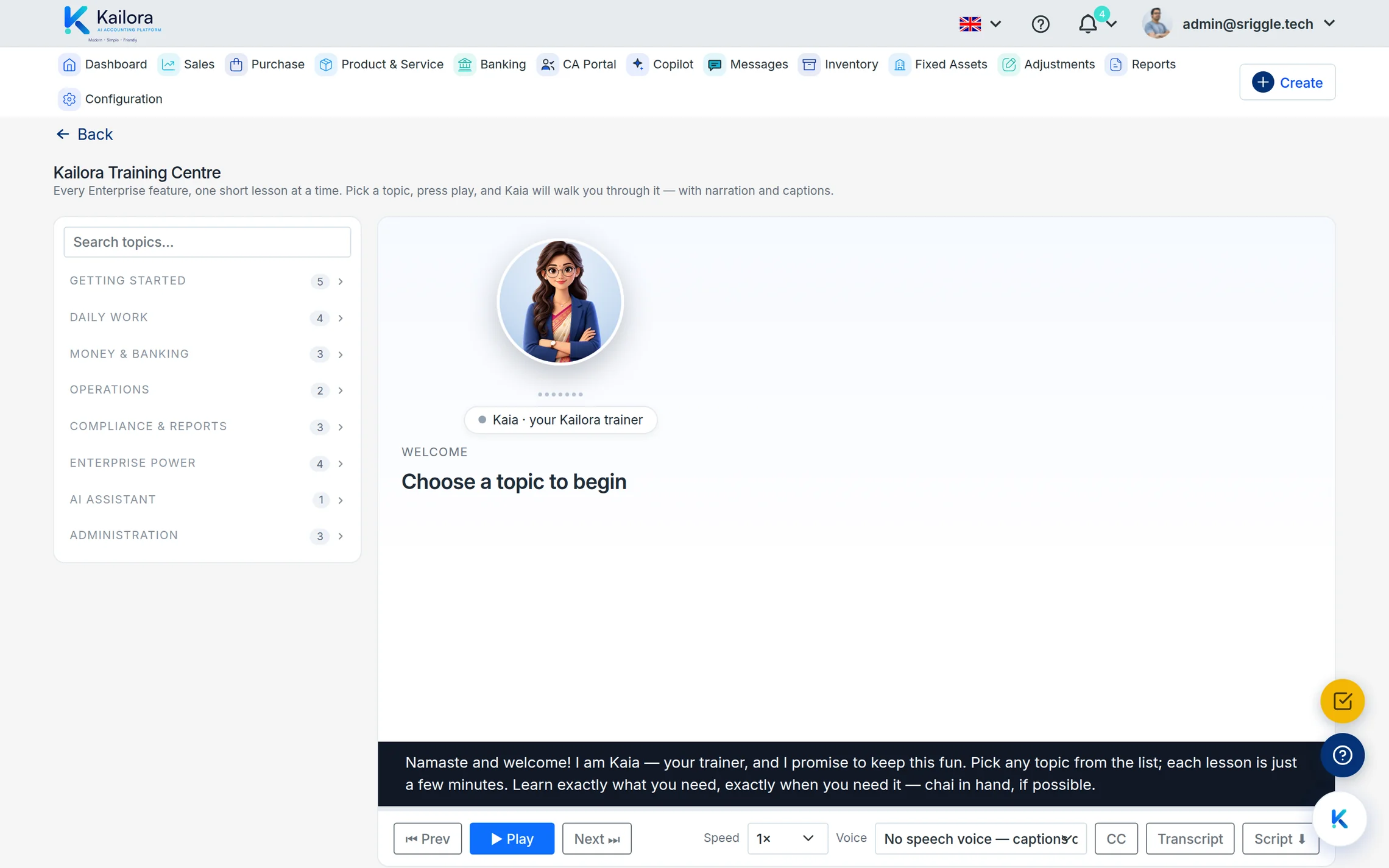
Kaia: a lesson for every feature, in plain speech
The Training Centre holds a narrated curriculum — Getting Started, Daily Work, Money & Banking, Compliance & Reports, Enterprise Power — each topic a few minutes, presented by Kaia with captions, transcripts, adjustable speed and a choice of voices (Kaia or Arjun). Narration is generated in the page's own language, so a Tamil user hears the lesson in Tamil, not a translation of a translation.
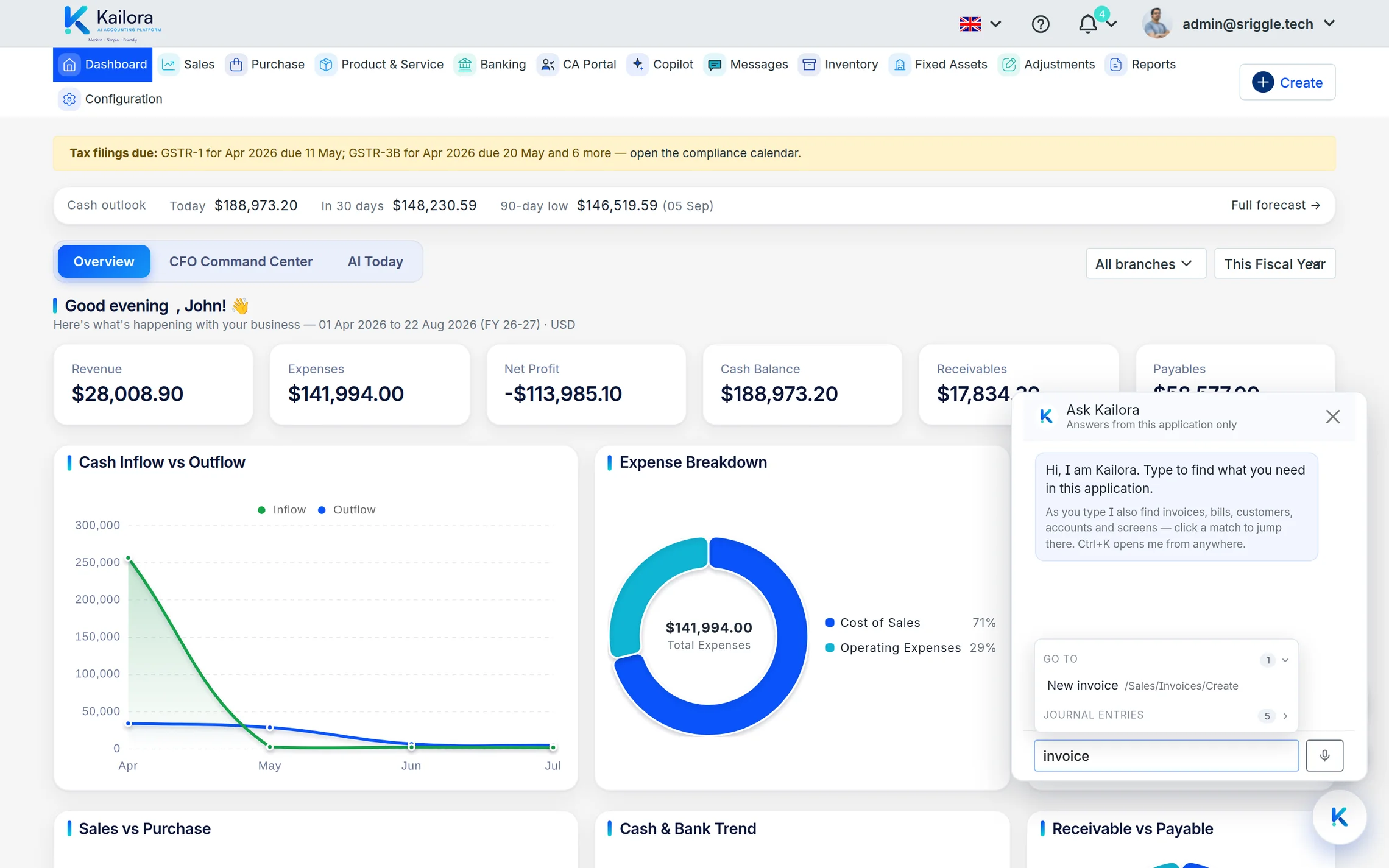
Ask Kailora: press Ctrl+K, type, land
Ask Kailora is the fastest way around the product. Type "invoice" and it offers New invoice plus every matching document, customer, account and screen — click to jump. Add the AI Suite plan and the same box answers questions from your books; there's even a microphone for dictating the question.
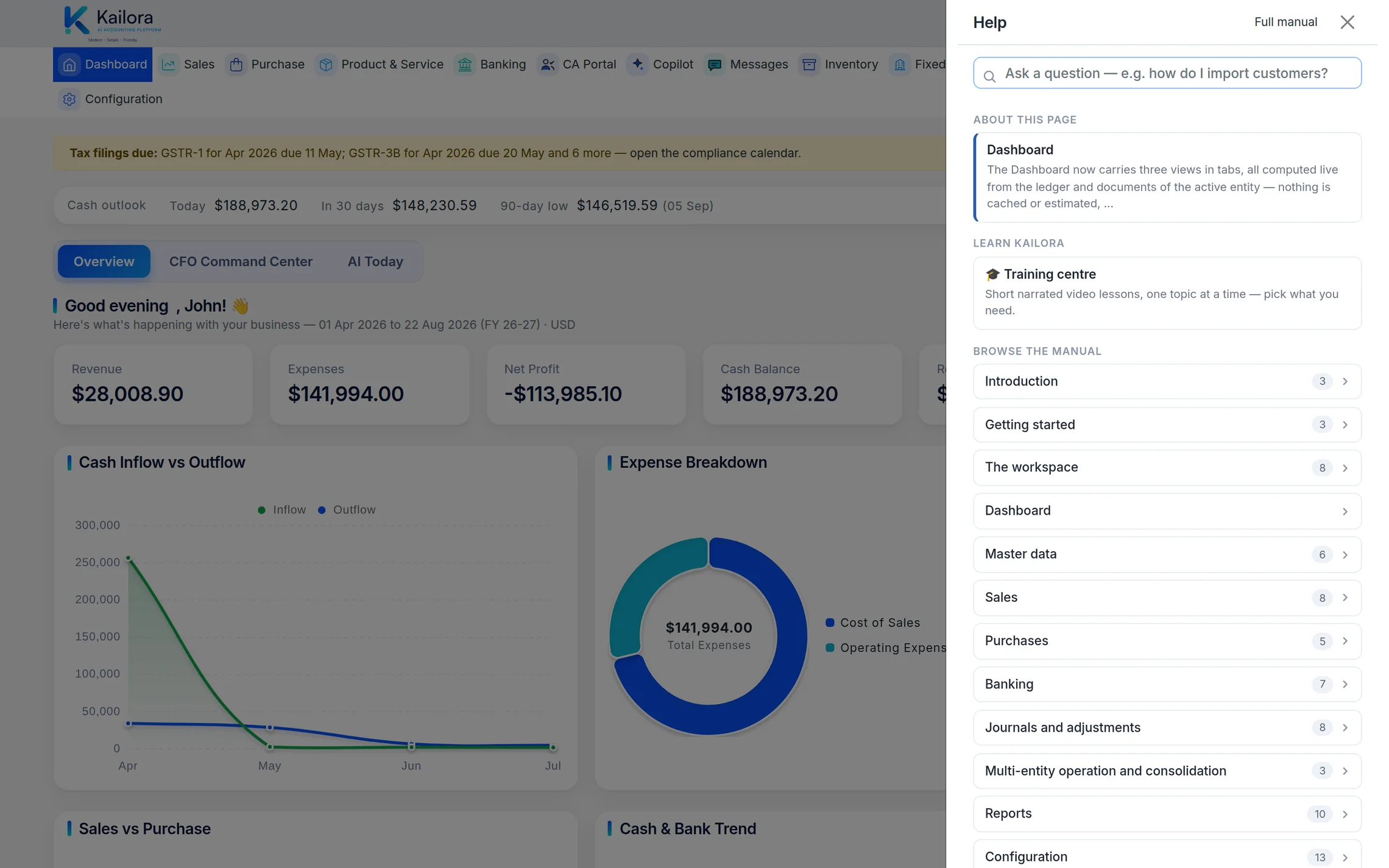
Smart Help: answers where you're standing
The help button opens the manual for the screen you're on — searchable, contextual, and honest about what each field does. No tab-switching to a doc site, no version drift: the manual ships with the product it describes.
Straight from the product
Real screens from a live Kailora — not mockups.
Common questions
Which languages does Kaia speak?
Lessons are narrated in the app's display language — all ten, with captions and transcripts in the same language.
Does Ask Kailora need an AI plan?
Navigation and document search work on every plan. AI answers from your books come with the AI Suite plan and above.
Works even better with
AI Assistant
Ask questions like 'who hasn't paid me since March?' and get answers from your actual ledgers
Settings & Security
Multi-entity setup, user roles, two-factor authentication, biometric app lock, numbering series and 10 display languages.
Dashboard
One screen with today's cash, receivables, payables, GST liability and overdue invoices
Give your books the week off.
Start free — no card, no lock-in. Your data stays exportable, always.